How it works
From a messy export to a clean import
This walkthrough follows a small Shopify product file from upload to download. Every other format works the same way.
Step 1
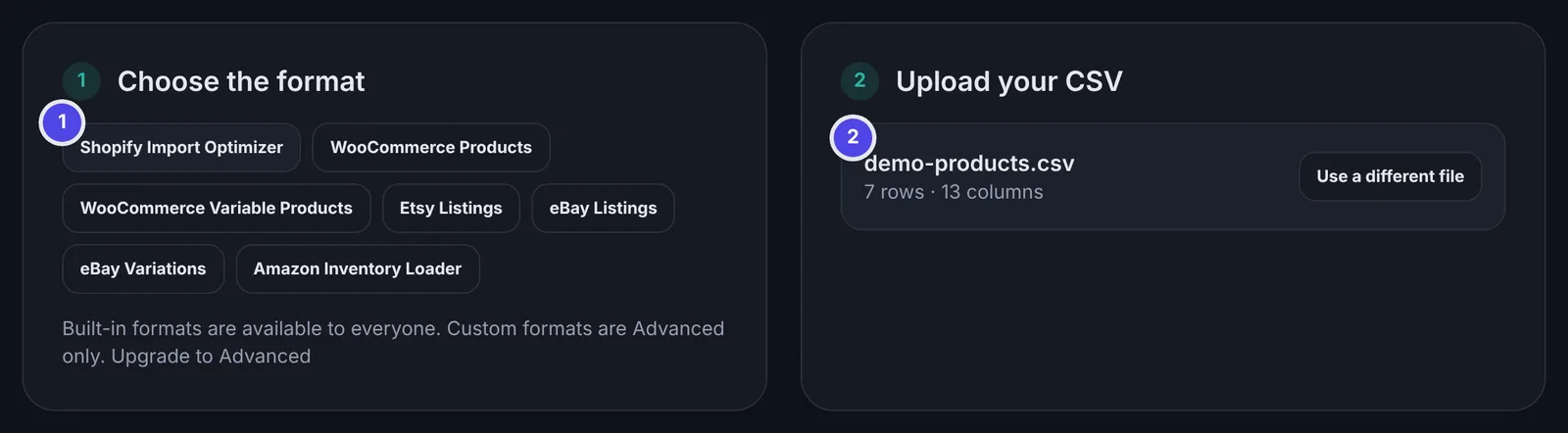
Choose the format and add your file
Start with the platform you're importing into, because each one has its own rules.
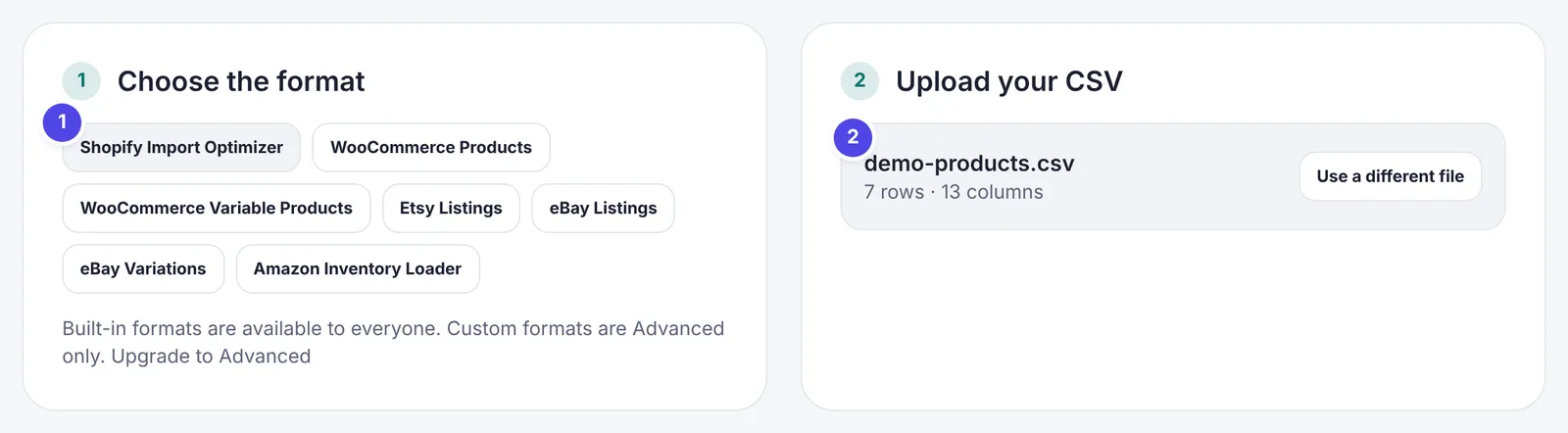
- Pick the platform you're importing into. You can switch later and the file is checked again.
- Drop in your CSV, choose it, or paste the text. If you don't have a file to hand, load the sample. Your file is read in your browser and never uploaded.
Step 2
Read the summary
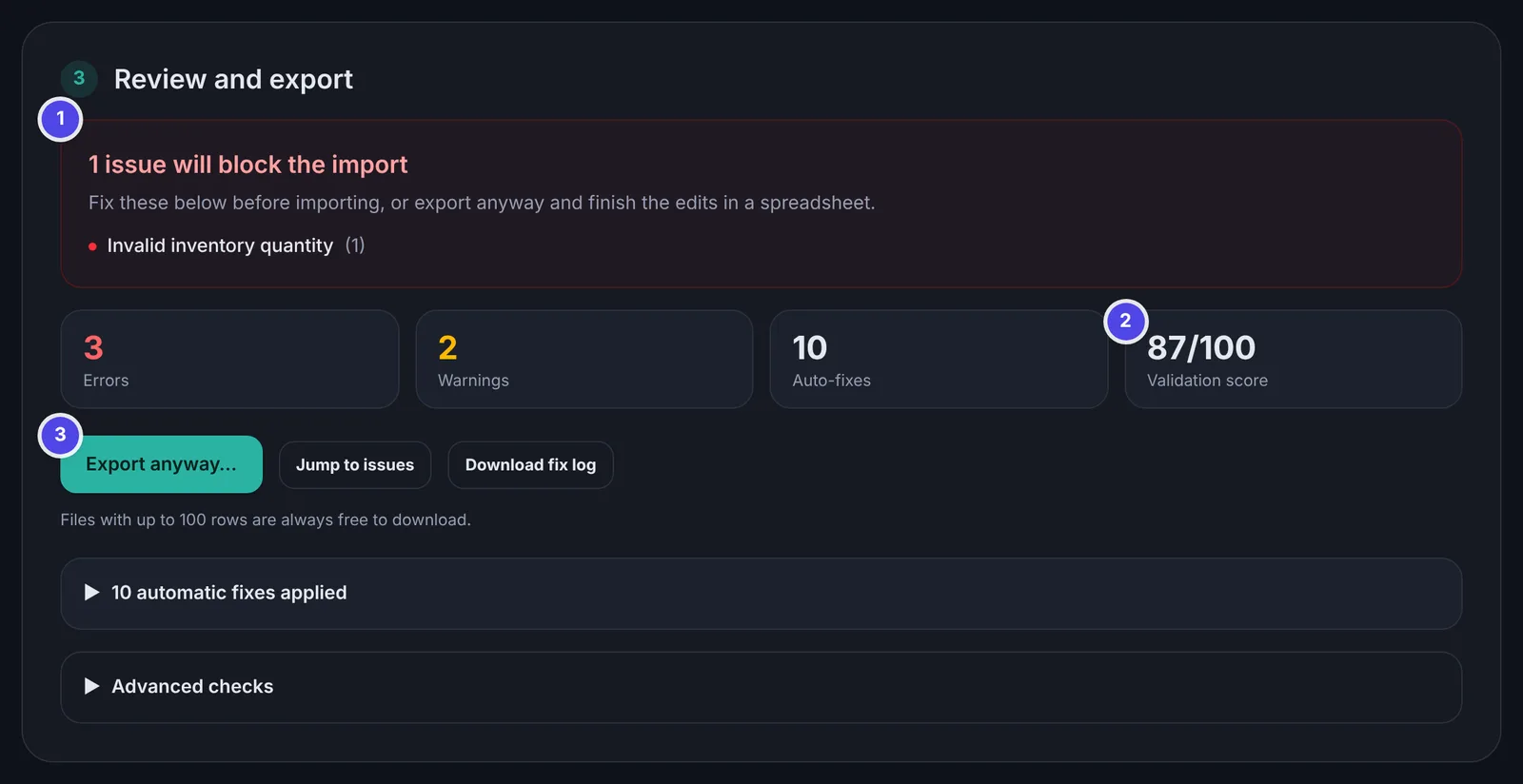
The checks run as soon as the file opens, and the summary tells you whether it would import.
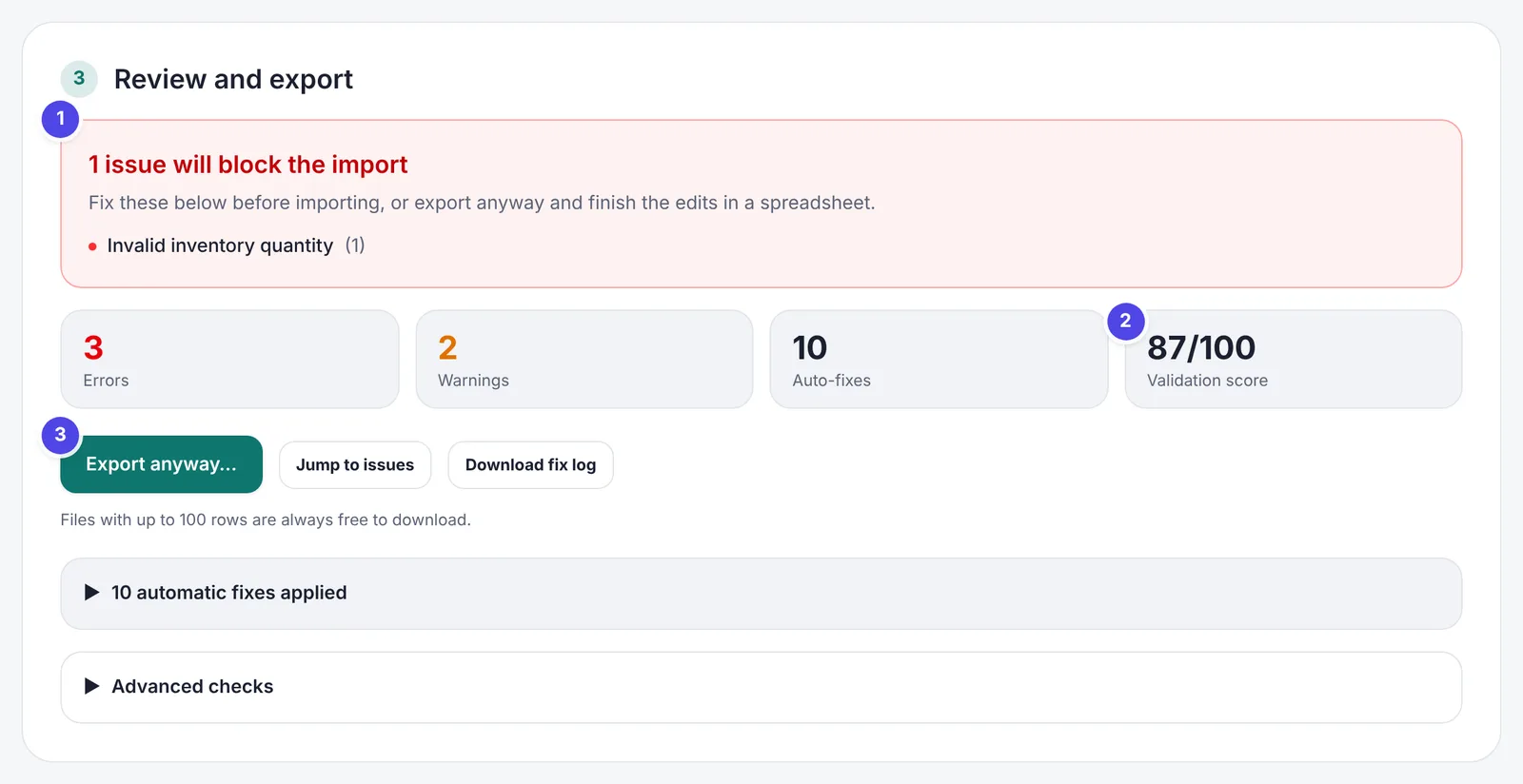
- Anything in this box would make the import fail. When it turns green, the file is ready.
- The score is a quick health check. Errors count for more than warnings.
- You can export at any time. If blocking issues are left, you're asked to confirm first.
Step 3
Fix what's left in the table
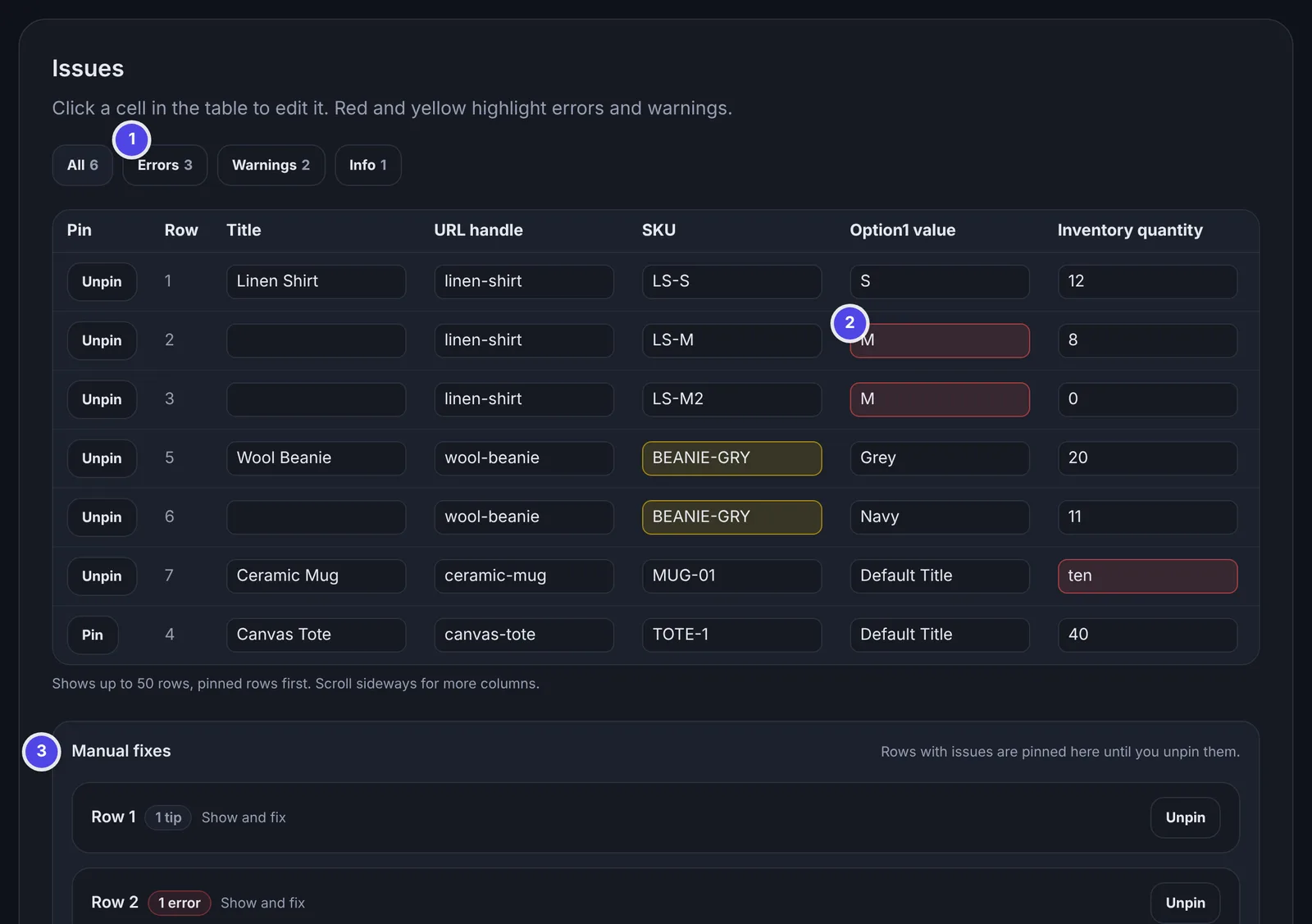
Problems the tool can't safely fix on its own are shown in place, so you can fix them in a few clicks.
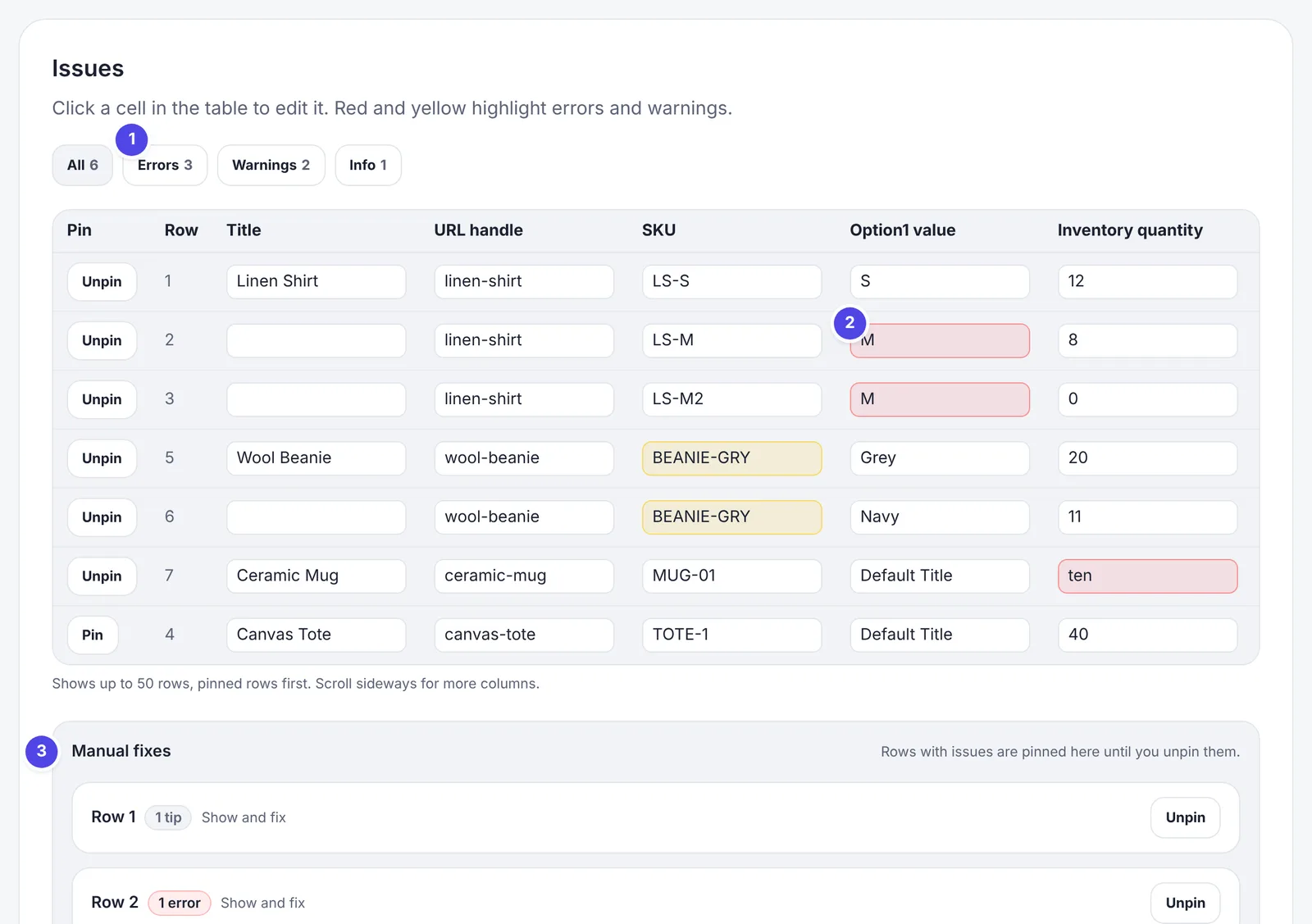
- Filter the table to errors, warnings or tips.
- Red cells are errors and yellow cells are warnings. Click a cell to edit it, and the checks run again straight away.
- Rows with issues are pinned under Manual fixes, each with an explanation of what's wrong and how to fix it.
Step 4
Check the automatic fixes and download
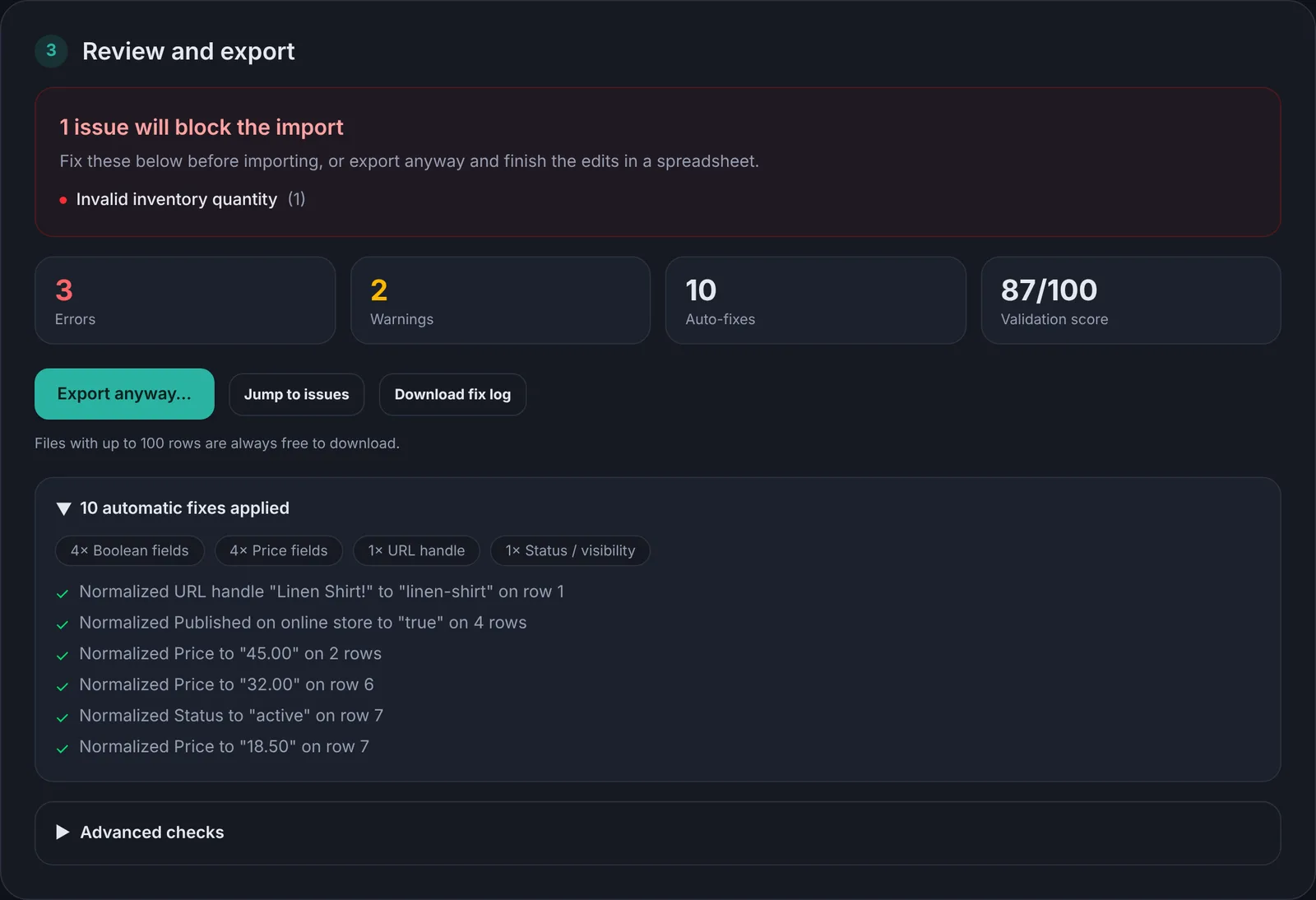
Open the list of automatic fixes to see every change that was made for you, then download the fixed file and import it into your platform.
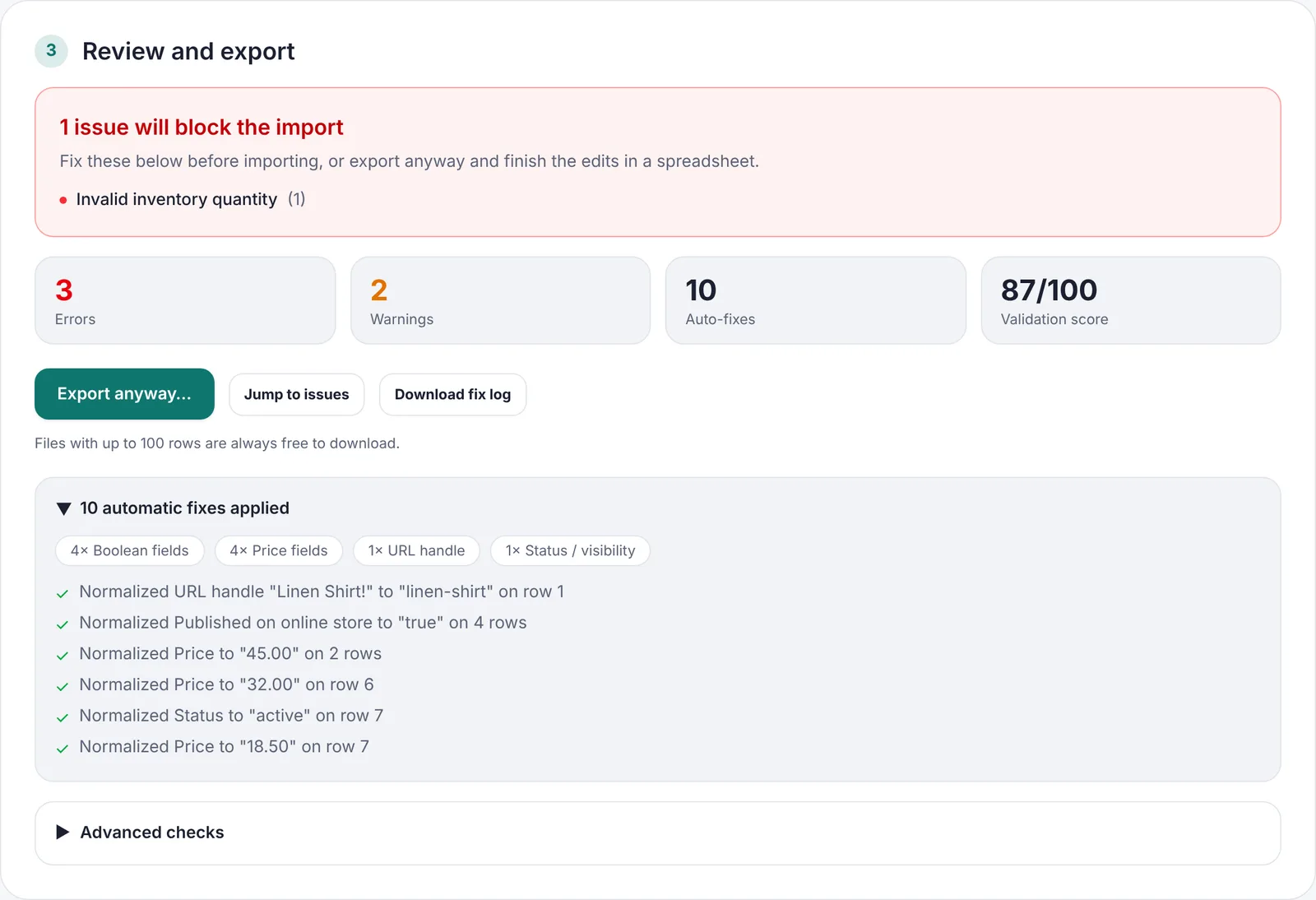
- Prices, true/false values, handles and statuses are corrected without changing their meaning.
- Download the fix log if you want a record of every change.
- Files up to 100 rows are always free to download.
Changing platforms?
Convert first, then check
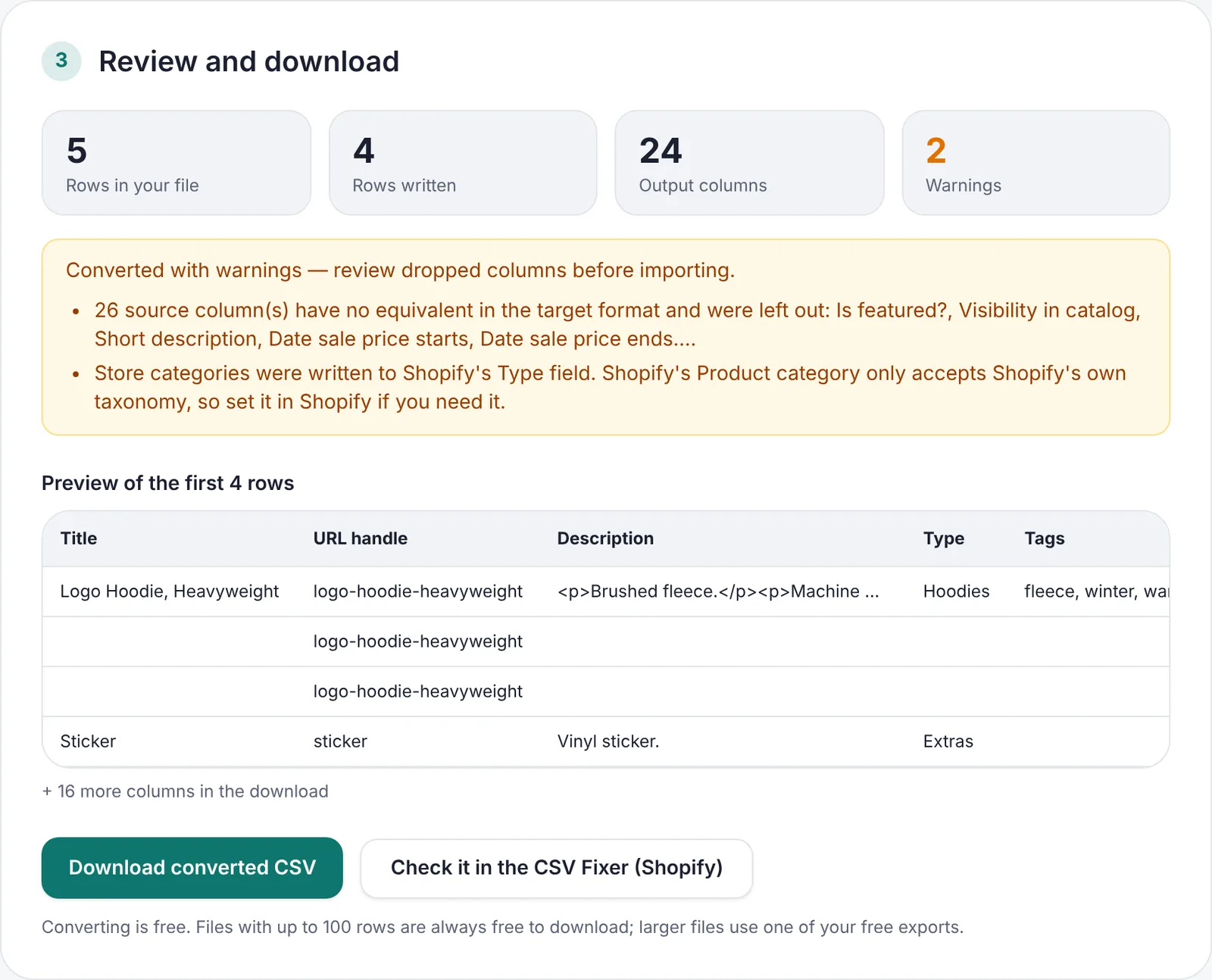
The format converter turns a WooCommerce, Etsy, eBay or Amazon export into a Shopify import, or the other way round. Preview the result, then send it to the CSV Fixer with one click.
Good to know
Nothing is uploaded
Your file is read, checked and saved on your own computer. Supplier costs and unreleased products stay private.
Nothing changes silently
Every automatic change is listed, and anything that could change meaning waits for you.
Free to try
Every check and fix works without an account, and files up to 100 rows are always free.
Try it on your own file
It takes about a minute, and you can see every issue before you decide anything.
Open the CSV Fixer